
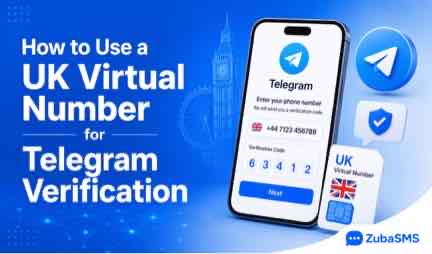
How to Use a UK Virtual Number for Telegram Verification (2026 Guide)
Using a UK Virtual Number for Telegram can be a convenient way to receive SMS verification codes when creating or accessing a Telegram account. However, it's important to understand that Telegram decides whether a phone number is accepted, and not every virtual number will work for verification.
A reliable virtual number provider can improve SMS delivery and help protect your personal phone number. This guide explains how Telegram verification works, how UK virtual numbers are used, and what you should know before choosing one.
Whether you're registering a personal account or setting up Telegram for business communication, understanding the verification process helps you avoid common issues and make informed decisions.
Table of Contents
- What Is a UK Virtual Number for Telegram?
- How Telegram Verification Works
- How to Use a UK Virtual Number for Telegram Verification
- Benefits of Using a UK Virtual Number
- Dedicated vs Shared Virtual Numbers
- Common Verification Problems
What Is a UK Virtual Number for Telegram?
A UK virtual phone number is an online telephone number that can receive SMS messages without requiring a physical SIM card. These numbers are commonly used for supported online registrations, business communication, and SMS verification.
When Telegram requests phone verification, a verification code is sent to the number you provide. If the number is accepted by Telegram, you can enter the code to continue setting up or accessing your account.
Because Telegram's security system evaluates each verification request individually, using a virtual number does not guarantee successful verification.
How Telegram Verification Works
Telegram uses phone verification to confirm that you have access to the number being used during registration or login. This helps reduce spam and protect user accounts.
- Download and open Telegram.
- Select the United Kingdom if using a UK number.
- Enter your UK virtual phone number.
- Request the verification code.
- Receive the SMS code if the number is accepted.
- Enter the verification code to continue.
In some cases, Telegram may send the verification code through another method, such as an in-app message, if the account has already been used on another device.
How to Use a UK Virtual Number for Telegram Verification
Following the correct process can make verification smoother and reduce common mistakes.
- Create an account with a trusted virtual number provider.
- Choose a UK virtual phone number.
- Open Telegram and begin registration.
- Enter the UK number when prompted.
- Wait for the verification code.
- Enter the code before it expires.
If Telegram doesn't accept the number, you'll need to use another eligible phone number. Acceptance depends on Telegram's verification policies rather than the virtual number provider.
Benefits of Using a UK Virtual Number
Virtual phone numbers provide several practical benefits for supported verification scenarios and business communication.
- Protect your personal phone number.
- No physical UK SIM card required.
- Receive SMS online from anywhere.
- Quick activation and setup.
- Useful for international users.
- Suitable for remote teams and businesses.
- Easy access from multiple devices.
Dedicated vs Shared Virtual Numbers
Before selecting a UK virtual number, it's helpful to understand the differences between shared and dedicated options.
| Feature | Shared Number | Dedicated Number |
|---|---|---|
| Privacy | Lower | Higher |
| Reliability | Moderate | Higher |
| Long-Term Access | Limited | Excellent |
| Account Recovery | More Difficult | Easier |
| Business Use | Basic | Recommended |
Common Verification Problems
You may occasionally encounter verification issues when using a virtual number. Most of these are related to Telegram's security checks rather than the virtual number itself.
- The number is not accepted by Telegram.
- The verification code expires before being entered.
- SMS delivery is delayed.
- The number has been used frequently for previous registrations.
- Telegram requests another verification method.
Choosing a trusted provider and using a dedicated virtual number may improve reliability for supported verification scenarios, but Telegram ultimately determines whether a phone number is accepted.
Why Choose ZubaSMS?
Selecting a trusted provider is one of the most important steps when using a UK Virtual Number for Telegram. A reliable service offers dependable SMS delivery, secure account management, and a better overall experience for supported verification services.
ZubaSMS provides high-quality virtual phone numbers for individuals, developers, freelancers, and businesses. Whether you need a number for SMS verification, customer communication, or online registrations, ZubaSMS offers affordable and secure solutions.
Why Thousands of Customers Choose ZubaSMS
- Reliable UK virtual phone numbers.
- Fast SMS and OTP delivery.
- Dedicated virtual numbers for greater privacy.
- Affordable pricing.
- Easy-to-use dashboard.
- Supports hundreds of online platforms.
- Suitable for both personal and business use.
- Secure and dependable service.
ZubaSMS supports multiple payment options to make purchasing virtual numbers simple for customers worldwide.
- 🇳🇬 Nigeria: Bank Transfer
- 🇬🇭 Ghana: Mobile Money
- 🇰🇪 Kenya: M-Pesa
- 🌍 International: USDT
Tips for Successful Telegram Verification
Following a few best practices can improve your experience when using a virtual phone number for Telegram verification.
- Choose a trusted virtual number provider.
- Use a dedicated number whenever possible.
- Enter the verification code immediately after receiving it.
- Keep access to the number if you may need account recovery later.
- Avoid repeatedly requesting multiple verification codes within a short period.
- Follow Telegram's security guidelines during registration.
Frequently Asked Questions
Can I use a UK virtual number for Telegram?
Yes, Telegram may accept some UK virtual phone numbers for verification. However, acceptance depends entirely on Telegram's verification systems and security policies.
Will Telegram accept every virtual phone number?
No. Telegram evaluates each verification request individually and may reject certain virtual or previously used numbers.
Why didn't I receive my Telegram verification code?
Possible reasons include network delays, expired requests, platform security checks, or the selected number not being accepted. In some cases, Telegram may use alternative verification methods.
Should I choose a dedicated virtual number?
Yes. Dedicated virtual numbers generally offer better privacy, more consistent access, and reduced previous usage compared to publicly shared numbers.
Can I keep my UK virtual number permanently?
Many providers offer long-term virtual number plans. Keeping the same number can be useful if Telegram requests future verification or account recovery.
Get a UK Virtual Number from ZubaSMS
Need a reliable UK Virtual Number for Telegram or other supported SMS verification services? ZubaSMS provides secure virtual numbers with fast activation, dependable SMS delivery, and affordable pricing for individuals and businesses.
Payment Methods
- 🇳🇬 Nigeria — Bank Transfer
- 🇬🇭 Ghana — Mobile Money
- 🇰🇪 Kenya — M-Pesa
- 🌍 International — USDT
Conclusion
Using a UK Virtual Number for Telegram can be a convenient option for supported account verification and business communication. However, it's important to remember that Telegram determines whether a phone number is accepted, and no provider can guarantee successful verification.
Choosing a reputable provider, using a dedicated virtual number when appropriate, and following Telegram's verification process can improve your experience. If you need secure UK virtual numbers with fast SMS delivery and flexible payment options, ZubaSMS offers reliable solutions for users around the world.
References
For additional information about Telegram accounts and SMS verification, consult these trusted resources.